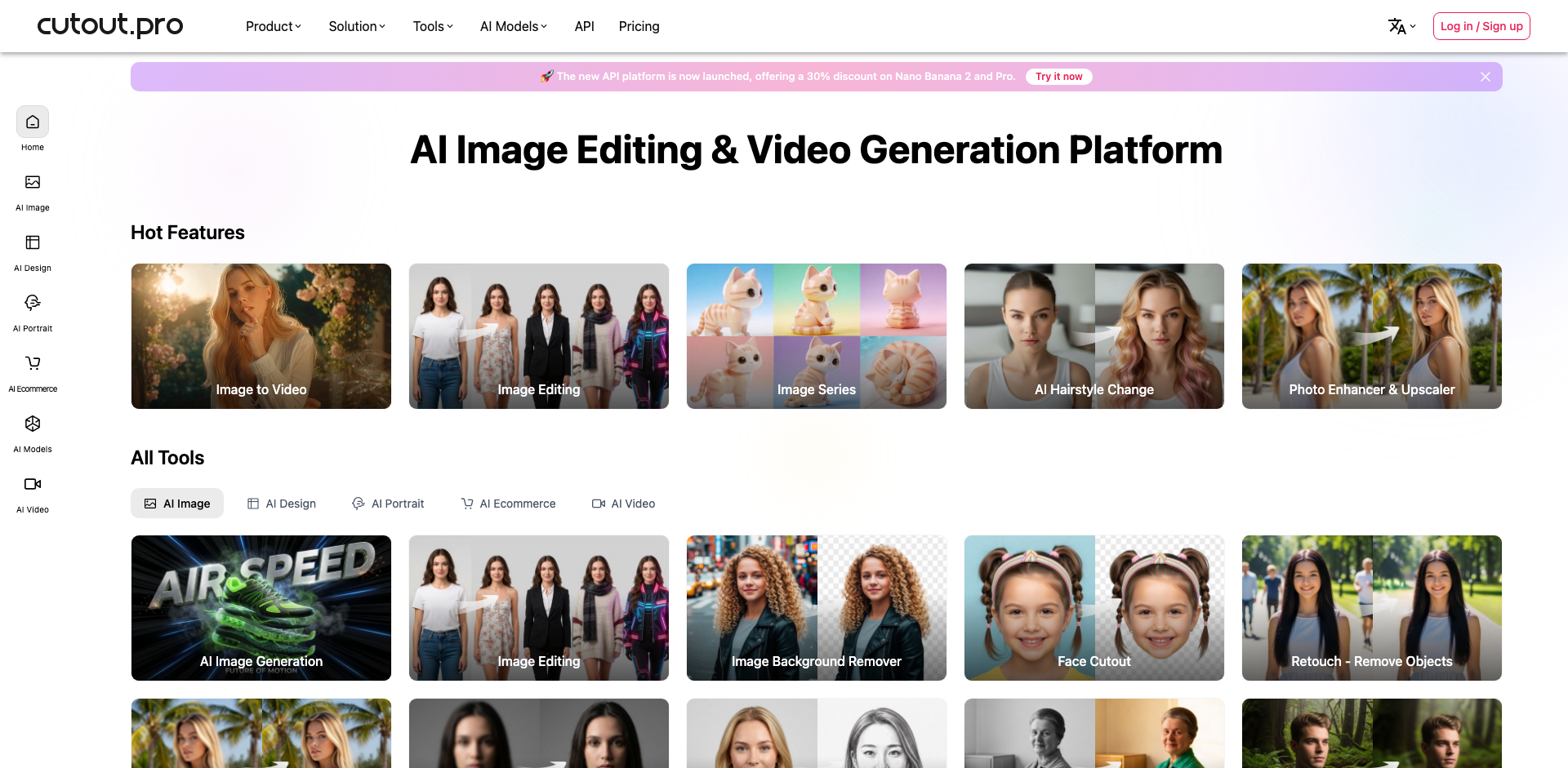
Cutout Pro AI
Cutout Pro AI is a powerful AI-powered visual content creation platform specializing in automatic background removal, image enhancement, and creative photo editing. The platform leverages advanced machine learning algorithms to deliver professional-quality image processing in seconds, making complex editing tasks accessible to users of all skill levels.
What is Cutout Pro AI
Cutout Pro AI represents a comprehensive suite of AI-driven image editing tools designed to streamline and automate visual content creation workflows. At its core, the platform utilizes sophisticated deep learning neural networks trained on millions of images to achieve remarkably accurate results in background removal, object detection, and image enhancement tasks that traditionally required hours of manual work in professional editing software.
The platform offers an extensive range of capabilities including instant background removal with pixel-perfect edge detection, AI-powered photo enhancement and restoration, portrait retouching, image upscaling, and creative effects generation. What sets Cutout Pro apart is its ability to handle complex scenarios like hair strands, transparent objects, and intricate edges with exceptional precision, producing results that rival professional manual editing.
Targeted at e-commerce businesses, photographers, graphic designers, social media marketers, and content creators, Cutout Pro AI addresses the growing demand for high-volume image processing without sacrificing quality. The platform supports batch processing capabilities, making it ideal for businesses that need to process hundreds or thousands of product images efficiently.
The tool distinguishes itself through its combination of accuracy, speed, and versatility. Unlike single-purpose background removers, Cutout Pro provides a complete ecosystem of visual AI tools including video background removal, cartoon and anime generation, passport photo creation, and AI art generation, all accessible through both web interface and API integration for seamless workflow incorporation.
How to use Cutout Pro AI
- 1 STEP 1: Navigate to Cutout Pro and select your desired AI tool from the homepage menu, such as Background Remover, Photo Enhancer, or Image Upscaler based on your editing needs
- 2 STEP 2: Upload your image by dragging and dropping or clicking to browse, with support for JPG, PNG, and WebP formats up to 25MB in size
- 3 STEP 3: Allow the AI to automatically process your image, watching as it intelligently detects subjects, removes backgrounds, or applies enhancements in real-time
- 4 STEP 4: Fine-tune results using the built-in editor to adjust cutout edges, apply new backgrounds, modify colors, or combine multiple AI effects for your desired outcome
- 5 STEP 5: Download your processed image in your preferred format and resolution, or save to cloud storage and access your editing history for future modifications
Primary Features
Applications & Use Cases
- E-commerce sellers processing thousands of product photos to create clean, white-background listings for Amazon, eBay, and Shopify stores
- Social media managers creating eye-catching content by removing backgrounds and adding creative effects for Instagram, TikTok, and marketing campaigns
- Professional photographers offering quick turnaround on portrait sessions by automating background replacement and basic retouching tasks
- Real estate agents enhancing property photos by improving lighting, removing unwanted objects, and creating virtual staging compositions
- Graphic designers accelerating workflow by quickly extracting subjects from photos for use in composite designs, advertisements, and marketing materials
Pricing
Cutout Pro AI offers a flexible pricing structure starting with free credits for new users to test the platform's capabilities.
The free tier provides limited processing with watermarked outputs for basic testing.
Paid plans include a Pay-As-You-Go option starting at $4.99 for credit packs, allowing users to purchase credits as needed without subscription commitment.
Monthly subscription plans start at $9.99 per month for the Basic plan offering 100 credits with full-resolution downloads and no watermarks.
The Pro plan at $19.99 per month includes 300 credits, priority processing, and batch upload features.
The Business plan at $49.99 per month provides 1000 credits, API access, and dedicated support.
Enterprise solutions with custom pricing are available for high-volume users requiring unlimited processing, white-label options, and custom API integration with dedicated account management.