Briefly
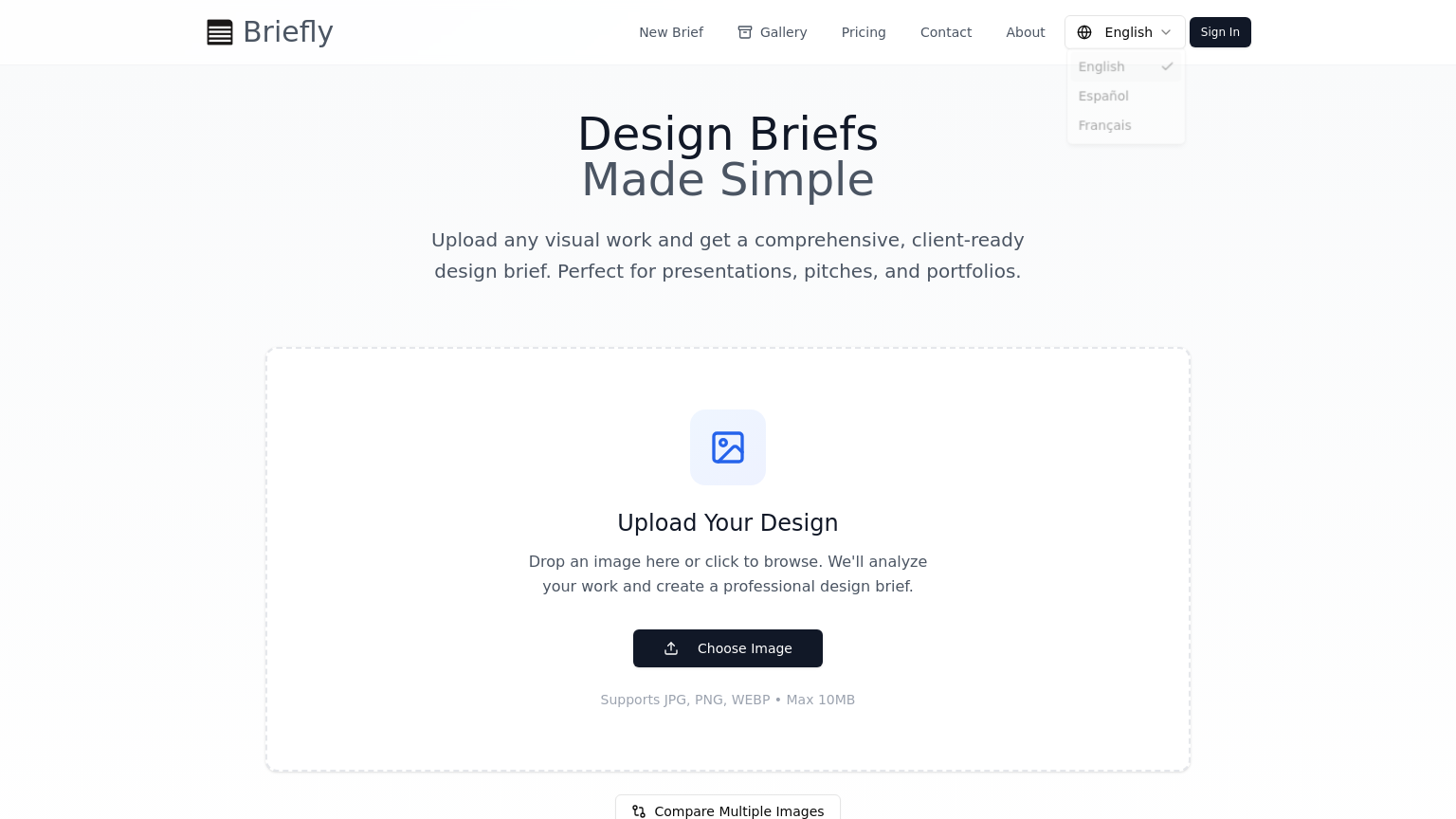
Briefly is a specialized design tool that converts uploaded images into structured, client-ready design briefs. It analyzes visual elements to provide layout guidance, project specifications, and actionable design notes in multiple languages.
What is Briefly
Briefly is an essential platform for freelance designers and creative agencies looking to streamline the client onboarding and project planning process. By simply uploading a JPG, PNG, or WEBP image (up to 10 MB), the tool automatically generates a comprehensive visual brief that outlines key design elements, typography suggestions, and layout guidance. Briefly goes beyond simple description by offering side-by-side comparisons of multiple images, helping teams highlight variations and make informed design decisions.
The output is formatted as a professional, export-ready summary that can be shared directly with clients or developers. To accommodate global teams, the platform supports exports in English, Spanish, and French. Whether you are converting a mood board into production specs or generating actionable notes for a pitch deck, Briefly provides a structured workflow that ensures all stakeholders are aligned on the visual direction and technical requirements of a project.
How to use Briefly
- 1 Navigate to the Briefly website and upload your design image or mood board (up to 10 MB).
- 2 Wait for the AI to analyze the visual elements, layout, and color palettes.
- 3 Use the side-by-side comparison tool if you have multiple design variations to evaluate.
- 4 Review the generated brief for accuracy and add any additional project specifications.
- 5 Select your preferred output language from English, Español, or Français.
- 6 Export the structured, client-ready brief for presentation or developer handoff.
Primary Features
Applications & Use Cases
- Creating professional, client-ready briefs from rough sketches or concept images.
- Comparing design iterations to highlight specific changes for stakeholder review sessions.
- Converting mood boards into technical specification documents for development teams.
- Generating multilingual design documentation to facilitate communication in global agencies.
Tags
Pricing
Free ($0), Pro ($39/mo), Team ($59/mo).
Category