Boords
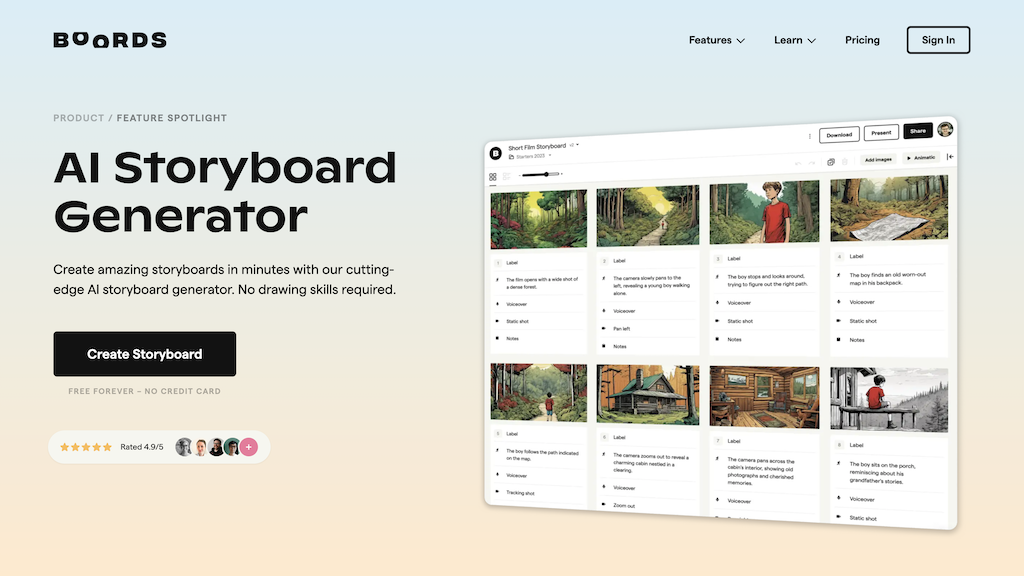
Boords is a comprehensive AI-powered storyboard generator designed for content creators and filmmakers. This tool helps users bring their ideas to life by creating interactive storyboards, shot lists, and animatics. With its user-friendly interface and robust features, Boords streamlines the storytelling process, saving time and enhancing collaboration.
What is Boords
Boords is a cutting-edge AI-driven storyboard generator that revolutionizes the way content creators visualize and produce their projects. By leveraging artificial intelligence, Boords automates the process of creating storyboards, shot lists, and animatics, allowing users to focus on the creative aspects of their work. This innovative tool is specifically designed for filmmakers, content creators, and advertising professionals looking to enhance their storytelling process.
With its intuitive interface and robust features, Boords empowers users to bring their ideas to life, collaborate seamlessly with team members, and deliver high-quality content efficiently. The AI-powered technology behind Boords ensures that the storyboards and animatics created are visually stunning, engaging, and tailored to the user's specific needs. By automating the time-consuming process of creating storyboards, Boords saves users a significant amount of time, allowing them to concentrate on the creative aspects of their projects.
Additionally, Boords' interactive features enable users to make changes and adjustments in real-time, fostering a collaborative environment and ensuring that everyone involved in the project is on the same page. Overall, Boords is an indispensable tool for any content creator or filmmaker looking to elevate their storytelling process and produce high-quality content efficiently.
How to use Boords
- 1 STEP 1: Import your script or idea into Boords and select the type of project you're working on
- 2 STEP 2: Use Boords' AI-powered technology to generate a storyboard, shot list, and animatic based on your script
- 3 STEP 3: Customize the storyboard and animatic by adding or removing shots, adjusting the pacing, and changing the layout
- 4 STEP 4: Collaborate with team members in real-time by sharing the storyboard and animatic, and making changes as needed
- 5 STEP 5: Export the final storyboard and animatic in various formats, including PDF, MP4, and image files
Primary Features
Applications & Use Cases
- A film director uses Boords to create a storyboard and animatic for their upcoming feature film, collaborating with the production team in real-time
- A content creator uses Boords to generate a shot list and storyboard for a social media campaign, saving time and ensuring consistency across all platforms
- A advertising professional uses Boords to create an interactive storyboard and animatic for a product launch, engaging with the target audience and generating buzz
- A team of writers uses Boords to develop a script and create a storyboard for a TV show, streamlining the writing process and ensuring everyone is on the same page
- A production company uses Boords to create a comprehensive storyboard and animatic for a large-scale commercial, ensuring seamless collaboration and efficient production
Pricing
Boords offers a free plan with basic features, a Pro plan at $19/month for individuals and small teams, a Business plan at $49/month for medium-sized teams, and an Enterprise plan with custom pricing for large organizations.
The Pro plan includes AI-powered storyboard generation, interactive editing, and collaboration features, while the Business plan adds integration with popular project management tools and cloud storage services.
The Enterprise plan includes all features, plus dedicated support and customized onboarding.
Category