Best AI Tattoo Generators
AI tattoo generators fall into three practical buckets: tattoo-first tools that try to produce “tattooable” linework with placement templates and/or virtual try-on; general-purpose image generators that can be prompted into tattoo styles; and design/editor suites that combine generation with editing and mockups. The best choice depends on your workflow: inspiration only, stencil-ready concepting, placement simulation, or production-friendly licensing.
On tattoo-specific capability, BlackInk AI stands out for tattoo-oriented controls (style/shape/detail/complexity), placement templates, and a published high-resolution export path (including a stated 2048×2048 hi‑res output on paid tiers).
If your priority is previewing a design on your body, InkAI emphasizes “body mapping” with a workflow that asks for 5–10 photos and trains a per-user model (claimed ~10 minutes), albeit with plan/price details that are not perfectly consistent across pages.
For commercially oriented creative teams that want “ethically trained” positioning and broad platform support, Adobe’s Firefly tattoo generator page explicitly supports both text prompts and reference-image uploads, plus a gallery, and Adobe repeatedly frames Firefly as “commercially safe” (with additional nuance around beta-labeled features).
For a “fast and free” web experience with a built-in tattoo simulator and mobile positioning, Fotor provides a simple prompt/upload → generate → try-on workflow, while commercial-use permissions shift with subscription level.
For pro-grade image quality and stylistic variance (including tattoo aesthetics) via prompting, Midjourney and Leonardo.AI are often used as “idea engines,” but neither is tattoo-specialized; licensing, privacy defaults, and “public vs private” controls matter more in these ecosystems than in tattoo-first tools.
Methodology and evaluation criteria
This research prioritized primary sources (official product pages, pricing pages, terms, and privacy policies) and supplemented them with reputable reporting for launch timing, adoption signals, and platform availability.
Each tool is scored (1–10) using an editorial rubric aligned to tattoo workflows:
a) tattoo-specific controls (linework, style presets, placement templates),
(b) try-on/placement preview,
(c) output usability (resolution, export formats, iterative controls like negative prompts)
(d) trust signals (transparent legal pages, usage metrics, press, or compliance claims). Where data was missing or contradictory, it is marked as unspecified rather than inferred.
Tool reviews
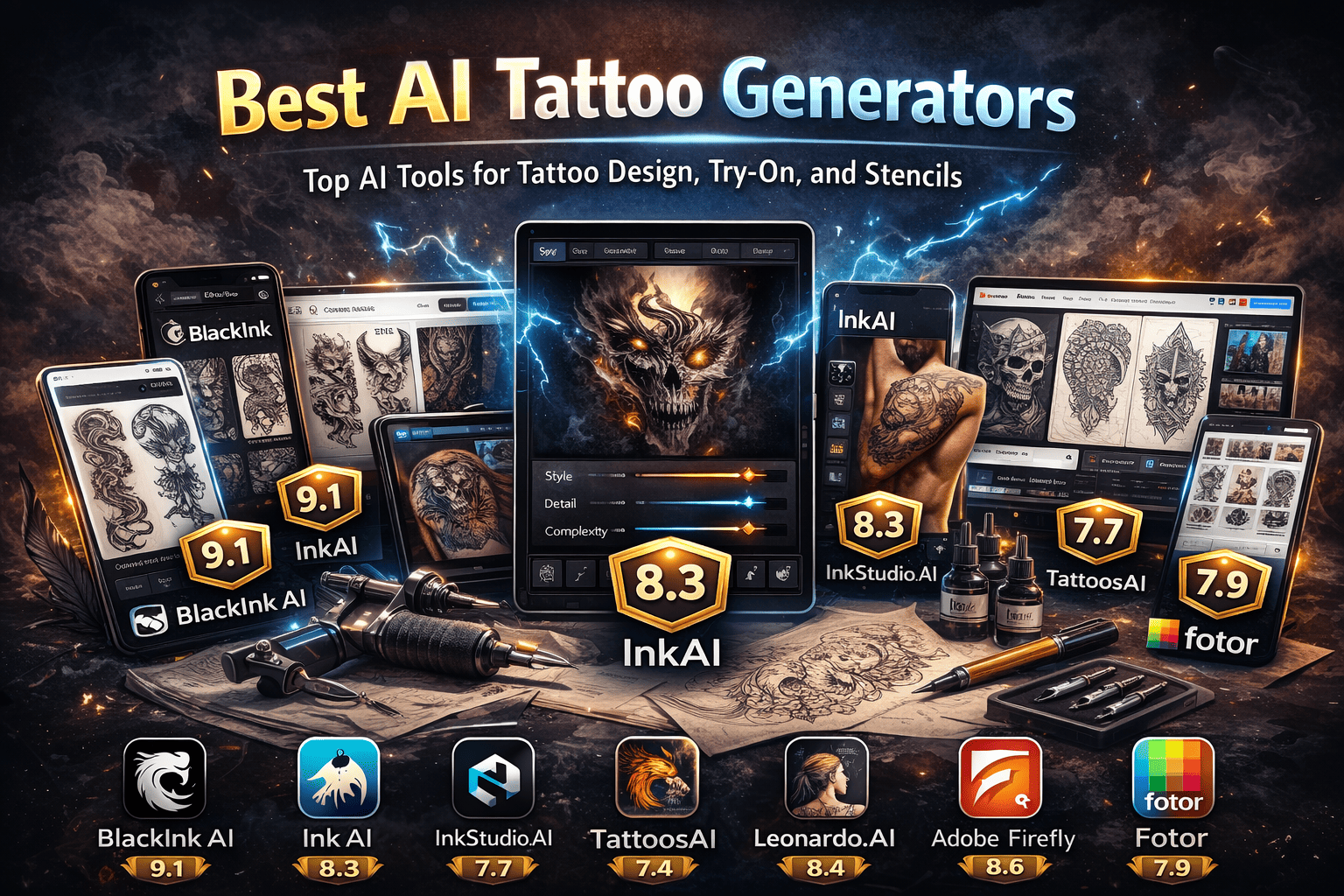
BlackInk AI — Score: 9.1/10
One-line recommendation: Best tattoo-first generator when you want controllable, tattoo-shaped outputs and high-resolution exports
Official site: https://blackink.ai/ .
Pricing: free tier includes 3 credits; paid tiers include “Pro” ($15/month) and “Unlimited” ($72/year)
Key features include prompt-based generation with controls for style/shape/detail/complexity, placement templates “by body part” (including sleeves), and a stated image-to-stencil converter on paid tiers. .
Trust signals the homepage claims “1.5M+ users” and shows “As seen on” logos (including Inked Magazine, Huffington Post, Yahoo News, and The Information).
InkAI — Score: 8.3/10
One-line recommendation: Strong pick if your main requirement is a body-preview workflow (photo-based “body mapping”) alongside design generation.
Official site: https://ink-ai.io/.
Pricing: the site shows credit-based monthly plans and highlights “AI Body Mapping (15 credits/use)” on Pro; another policy page lists Free/Starter/Pro/Premium with varying monthly pricing and credits, so treat plan details as needing on-page confirmation at time of writing.
Core features: the homepage claims 50K+ designs created, 10K+ happy users, and 100+ style options, and describes AR-like body preview plus style customization. The “body mapping” flow requests 5–10 photos, trains a model “around 10 minutes,” and then lets users vary designs/size/placement.
Sample outputs: the homepage includes “Featured Designs,” and the explore/gallery feed shows dated community items.
Ink Studio AI — Score: 7.7/10
One-line recommendation: A good “prompt-to-stencil” toolbox if you want negative prompts, image-to-tattoo conversion, and short-term access passes instead of subscriptions.
Official site: https://inkstudioai.com/
Pricing: one-time access passes are published: 7-day $12.99, 14-day discounted $16.99, and 30-day discounted $23.99.
Key features listed on pricing/terms navigation include AI prompt optimization, image-to-tattoo, tattoo style transfer, “Try Tattoo (3D),” and support for negative prompts.
Trust signals: the homepage claims 20,000+ designs created and offers one free design for new users.
TattoosAI — Score: 7.4/10
One-line recommendation: Fast, prompt-first ideation if you mainly want a stream of options and don’t need advanced exports or placement tooling.
Official site: https://www.tattoosai.com/.
Pricing: the publicly captured homepage heavily emphasizes “Try for free” and “unlimited design options,” but plan pricing is not shown in the extracted homepage lines; third-party aggregators list it as freemium with paid plans, so treat exact tiers as unspecified unless verified on the pricing page at publication time.
Features and scale signals: the homepage claims “761,235 tattoos already generated” and “9,635 happy customers,” and shows example outputs and media logos.
Inker.AI — Score: 7.6/10
One-line recommendation: Best for users who want straightforward text/photo generation plus export-friendly downloads and explicit “commercial use” language in terms.
Official site: https://www.inker.ai/.
Pricing:
Free (2 tattoos/month; “personal use”),
Starter $6.99/month (billed yearly)
Hobby $13.99/month (billed yearly)
Professional $27.99/month (billed yearly) with “commercial use” listed on the Professional tier.
Key features: text-to-tattoo and photo-to-tattoo flows, multi-style previews, high-resolution downloads, and a virtual “try on” section; it also claims PDF/PNG downloads for “free tattoos.”
Adobe Firefly — Score: 8.6/10
One-line recommendation: Best “commercially safe” option for generating tattoo concepts from prompts or reference images, especially if you already use Adobe tools or need an API.
Official feature page: https://www.adobe.com/in/products/firefly/features/tattoo-generator.html
Pricing model
Firefly is presented as free to start with credit-based usage; Adobe documents “generative credits” allocations and notes that free plan credits are subject to change, with paid plans adding more credits and capabilities.
Core tattoo-generator features
the tattoo page explicitly supports text prompts and reference-image uploads, encourages exploring multiple tattoo styles (e.g., realism, traditional, minimalist linework, blackwork, lettering), and includes a gallery/remix workflow. Commercial and rights positioning: Adobe’s enterprise Firefly page states that (excluding beta-labeled features) Firefly outputs are safe for commercial use, that Adobe doesn’t claim ownership, and that users “retain full rights,” while Adobe’s public FAQ adds that non‑beta outputs can be used commercially and that Creative Cloud subscriber personal content is not used to train Firefly.
Platform coverage: Adobe has a Firefly web app, a Firefly mobile app for iOS/Android reported by The Verge, and a developer stack (Firefly Services / Firefly API docs) for integrating generation into workflows.
Trust signals: Adobe’s own reporting claims massive usage numbers since the March 2023 beta (e.g., “more than 13 billion images” generated).
Fotor — Score: 7.9/10
One-line recommendation: Best “quick and free” web tattoo generator + simulator, with stronger value if you’re already on a paid plan for watermark-free exports and commercial permissions.
Official tattoo generator: https://www.fotor.com/ai-tattoo-generator/
Pricing model:
-
Fotor has a free tier (e.g., “Fotor Basic” showing US$0 and time-limited storage)
-
Higher tiers (Pro/Pro+) exist, with some pricing details not fully visible in the captured pricing excerpt.
Tattoo-specific features: Fotor describes prompt or image upload, style selection, and a simulator that lets you pick body area, skin color, and gender for preview; it also claims “no watermark” downloads on the tattoo tool page.
Commercial use: Fotor’s help center states free users can use free material only for personal use; commercial use requires Pro/Pro+.
Leonardo.AI — Score: 8.4/10
One-line recommendation: Best for advanced creators who want strong “private content not used for training” commitments (on paid/private settings) and a production-grade API.
Official site: https://leonardo.ai/
Pricing: Leonardo publishes Free/Essential/Premium/Ultimate tiers, with token-based limits; a pricing snippet shows Free (150 tokens daily) and paid tiers (e.g., Essential 8,500 monthly tokens; Premium 25,000; Ultimate 60,000) plus “private generations” enabled on paid plans.
Trust signals: a Google Cloud customer story claims Leonardo reached tens of millions of registered users and “over a billion artworks generated.
Midjourney — Score: 8.0/10
One-line recommendation: Best for high-variance artistic exploration when you’re comfortable with public-by-default creation and a subscription-based model.
Official site/docs: https://www.midjourney.com/ and plan documentation at https://docs.midjourney.com/
Pricing tiers:
Basic $10/mo
Standard $30/mo
Pro $60/mo
Mega $120/mo
Mega include “Stealth Mode” for private images, and Standard+ includes unlimited generations in Relax mode (with additional conditions in docs).
Trust signals: reputable reporting describes very large communities and sustained attention, including usage scale mentions in major news coverage.
Comparison table
The table below is optimized for an SEO “best tools” article (fast scan, clear differentiators). “Unspecified” indicates the figure was not clearly visible in the publicly accessible page extracts or was inconsistent across pages at the time of research.
|
Tool |
Score |
Best for |
Free option |
Paid starting point (USD) |
Image upload |
Try-on / placement |
Private outputs |
Commercial-use clarity |
API |
|
BlackInk AI |
9.1 |
Tattoo-first controls + templates + hi-res |
3 credits |
$18/mo |
Yes |
Templates by placement |
Paid tier supports privacy |
Commercial requires subscription; resale restricted |
Unspecified |
|
InkAI (ink-ai.io) |
8.3 |
Photo-trained body preview (“body mapping”) |
Limited / trial framed |
Inconsistent across pages |
Yes |
Yes (body mapping) |
Unspecified |
Rights retained but platform license; commercial terms not explicit |
Unspecified |
|
Ink Studio AI |
7.7 |
Negative prompts + Image-to-tattoo + short access passes |
1 free design |
$12.99 (7 days) |
Yes |
“Try Tattoo (3D)” feature listed |
Unspecified |
ToS grants broad platform license; output rights unclear |
Unspecified |
|
TattoosAI |
7.4 |
Quick ideation stream |
“Try for free” |
Unspecified |
Unspecified |
No |
Unspecified |
Unspecified |
Unspecified |
|
Inker.ai |
7.6 |
Export-ready outputs + explicit commercial language |
Yes |
$6.99/mo (billed yearly) |
Yes |
Yes (try-on section) |
Paid privacy mode described |
Terms allow commercial use of outputs |
Unspecified |
|
Adobe Firefly |
8.6 |
“Commercially safe” generation + creative workflow integration |
Yes (credits) |
Credit-based plans (varies) |
Yes |
No (concepting only) |
Depends on Adobe account/workflow |
Clear: non‑beta outputs usable commercially; training commitments stated |
Yes (Firefly Services/API) |
|
Fotor |
7.9 |
Free web generator + simulator |
Yes |
Pro/Pro+ (price not fully visible) |
Yes |
Yes (simulator) |
Unspecified |
Free personal only; paid for commercial |
Yes (API/SDK) |
|
Leonardo AI |
8.4 |
High control + API + strong private/training commitments |
Yes (tokens) |
Essential tier (price not extracted; token limits shown) |
Yes |
No |
Paid plans have private generations |
Clear but nuanced: paid/private vs public vs free |
Yes |
|
Midjourney |
8.0 |
High-variance artistic exploration |
No (subscription) |
$10/mo |
Yes (image prompts) |
No |
Pro/Mega via Stealth Mode |
Clear tiering, but content is public by default and licensed broadly |
No public API (automation restricted) |